Share relay servers to save money and heartache
by Rae McKelveyAnyone can self-host relays for free without permission: iroh is openly licensed. But if you set up your own relay servers, you need to consider factors like server availability, network latency, security, and maintenance overhead.
Because this initial effort can be a barrier to entry, the maintainers of iroh provide rate-limited public relays for free as a public service. However, setting up and maintaining your own relay infrastructure can still be a significant effort.
But what if teams could share the cost of operating relays? Today we're offering shared relay servers through Iroh Services, allowing multiple projects to leverage the same relay, metrics, and network diagnostics infrastructure efficiently.
Wait, what's iroh? What's a relay?
If your app starts getting popular at 2,000 users with each user sending 10GB/data per month, you'll be responsible for 20 TB of application traffic over the internet. That's a $1,742/mo AWS bill just in egress alone.
But what if 98% of the traffic could travel directly between devices instead of through the server? Then only the remaining 2% (400 GB) would pass through AWS, reducing the bill to about $36.
Using iroh, your devices will attempt to take a direct path instead of relaying everything through a server. This can significantly reduce the amount of traffic that actually needs to pass through a provider, lowering both latency and server costs.

No data is stored on the relay servers. Once a direct path is validated, application data takes the shorter route.
Most of the time iroh will establish a direct connection. But when the network changes, or you step out of the house, your Wi-Fi briefly drops, or something even stranger (networks are extremely good at getting weird!) the relay is what keeps the connection alive during those intermittent outages. A relay is the server that helps broker a connection in the first place and is the fallback path for some endpoints that may never connect directly.
Shared relays for your growing project
Now, iroh services offers a shared relay to reduce costs and complexity: several projects can now share the same underlying infrastructure, while authentication keeps each project's access and metrics separate. This is the main benefit of using shared relays - your project can leverage robust relay and metrics infrastructure without bearing the full operational cost.

An endpoint connects to a shared relay that is used by multiple projects.
Sharing the machinery lets us offer a useful amount of relay capacity at a hobby-project price. You get a predictable bill and we take care of deploying, updating, and watching the relay fleet. You also get to feel good knowing you can pay for a lunch every month to the team maintaining iroh!
| Community | Pro | Dedicated | |
|---|---|---|---|
| Monthly price | $0 | $19 | $199/region, plus Pro |
| Relay | Public | Shared | Dedicated |
| Rate-limit | Variable | 5MB/s | Unlimited |
| Authentication | No | Yes | Yes |
| Custom DNS | No | No | Yes |
| Included egress | Variable | 100 GB | 250 GB |
| Additional egress | N/A | $0.09/GB | Region-based pricing |
| Concurrent connections | Rate limited | 10,000 | 60,000 |
| Best for | Development | Small, growing projects | Critical uptime requirements |
If you already have a Pro plan, you can start using the shared relays immediately without any additional setup.
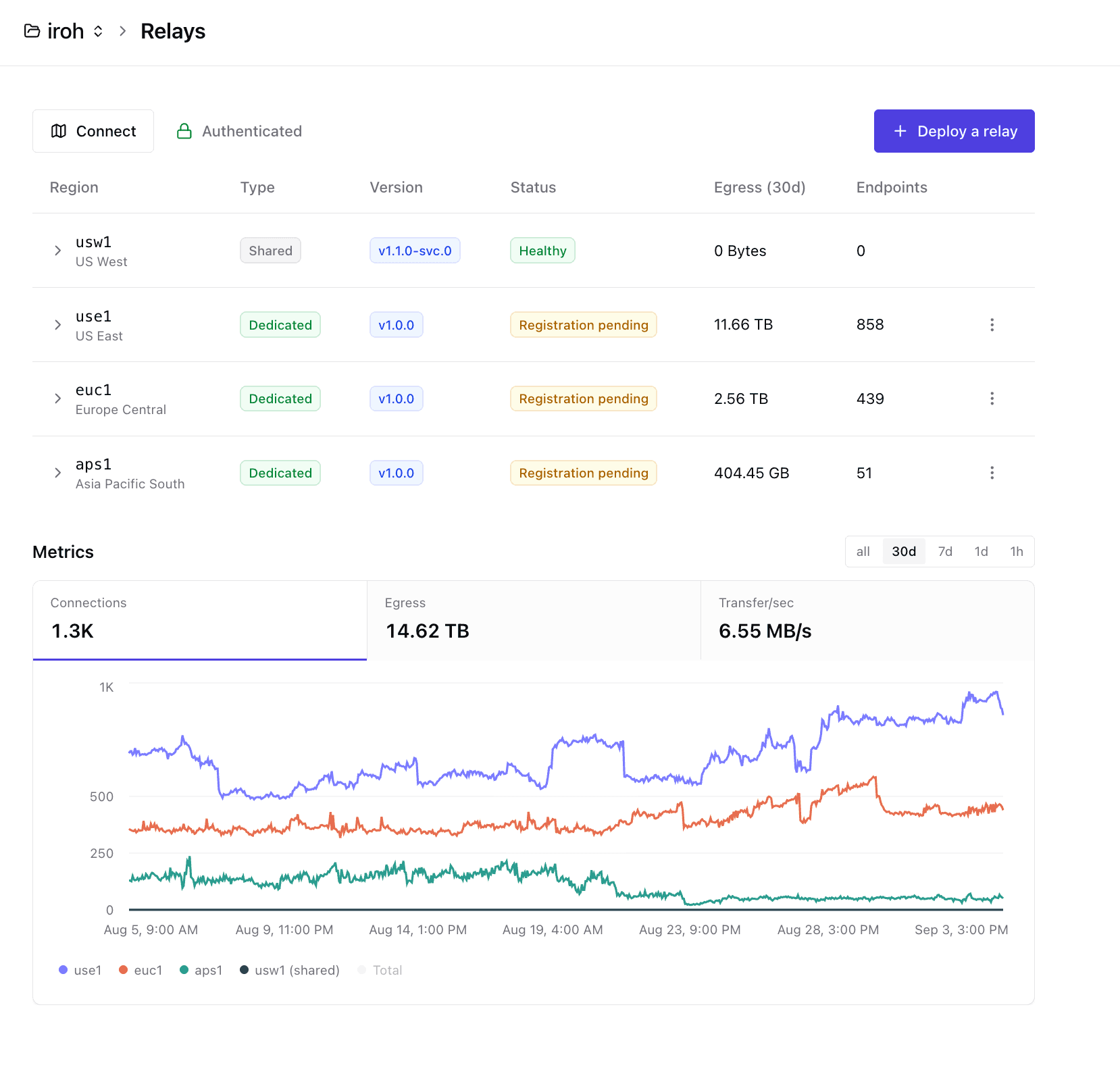
You can also mix-and-match shared & dedicated relays for global availability, and burst capacity in regions with more activity. See online endpoints, egress, transfer rate, and connection history for every relay in your project.
How much will it cost as my project grows?
The cost of using iroh depends on how much of your application's traffic needs to be relayed through our servers. This really depends on where you are deploying your app, because network conditions, firewalls, routers, and client-side configurations can impact direct connectivity rate.
The iroh services platform helps you diagnose these issues, and shows relay egress and connection metrics, so you can monitor and improve your direct data rate to get a better gauge for how much your actual project will cost at scale and drive those costs down over time. This is much better than the traditional approach of trying to model every coffee-shop Wi-Fi network on Earth.
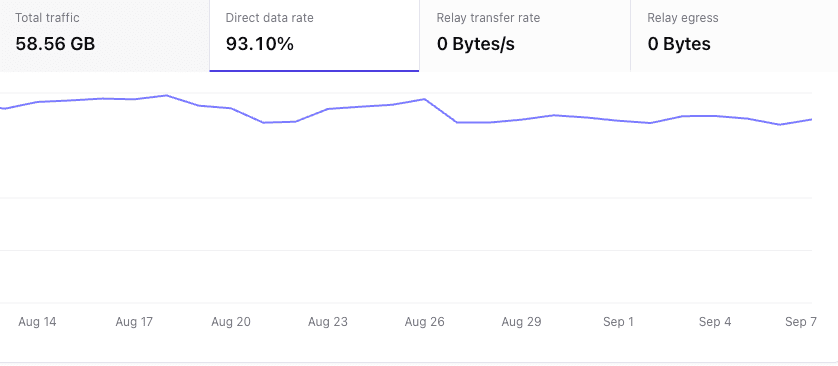
Direct data rate shows how much traffic avoided the relay over time. This is the number that drives your potential egress savings.
Iroh Pro includes the first 100 GB, so the monthly bill for 2,000 endpoints at 400GB total relayed egress would be about $46: $19 for Pro plus $27 for 300 GB of additional egress.
Here is the 20TB workload over iroh compared to AWS and Supabase Pro:
| Approach | Traffic crossing provider infrastructure | Estimated monthly cost |
|---|---|---|
| Iroh Pro, with 2% relayed | 400 GB | $46 |
| WebSocket server on AWS EC2 | 20TB egress | about $1,742, plus compute |
| Supabase Pro + Realtime | 20TB egress | at least $1,803, before Realtime message overages |
That makes Iroh roughly 38–39× less expensive in this example. This is intentionally back-of-the-napkin math, not a universal benchmark. A workload with fewer direct connections would make Iroh more expensive. Your real ratio depends on NATs, firewalls, geography, and what your application actually sends. This is why the dashboard reports relay usage, and why we've prioritized building methods for you to debug your iroh endpoints and improve connectivity rate. If you are still having trouble improving your direct connectivity in your app, contact us.
Getting started
- Create or open a project in Iroh Services.
- Start the Pro trial.
- Navigate to Relays and hit Connect to get your connection snippet.
- Confirm relay connections and egress in the dashboard.
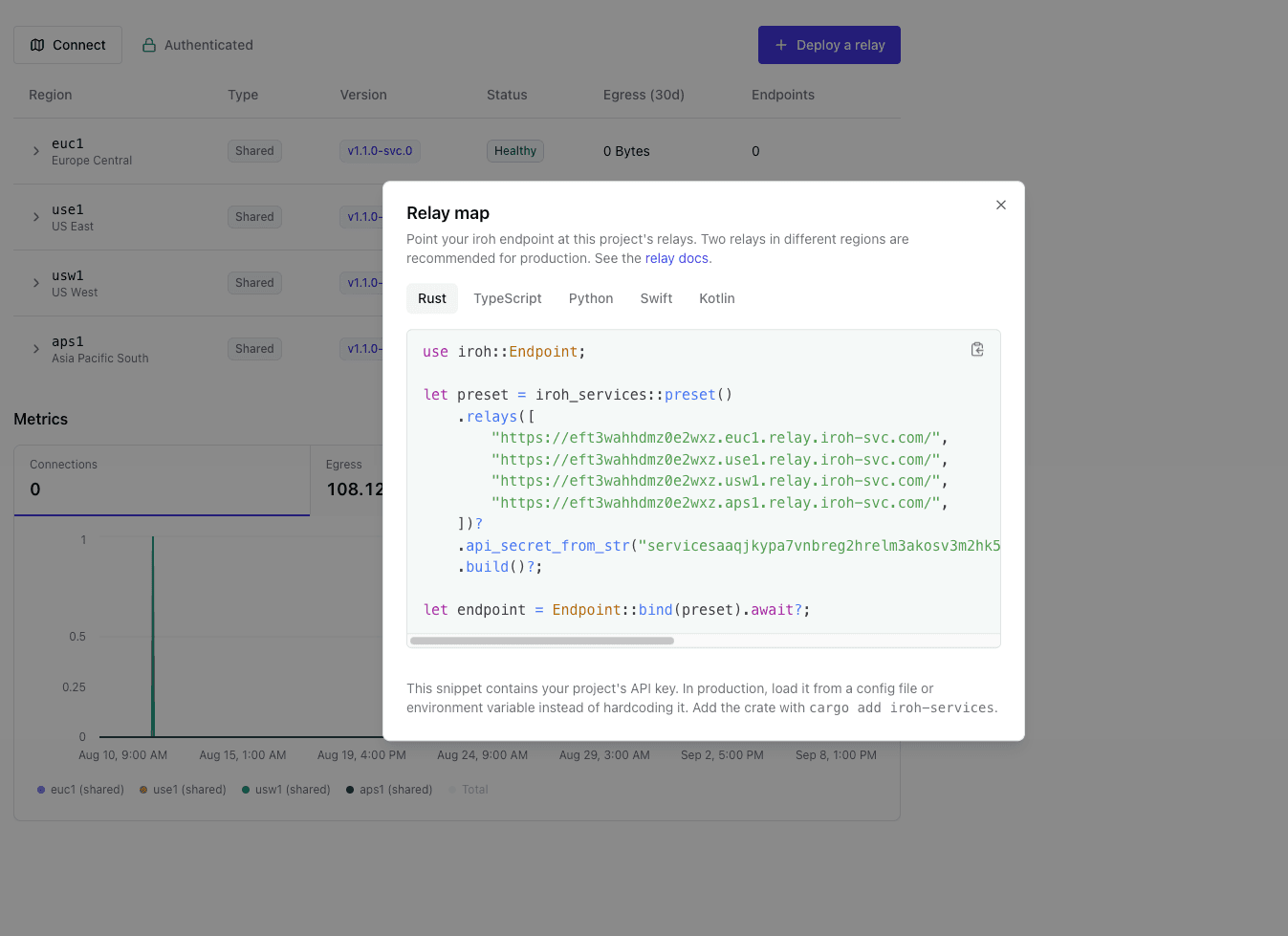
If you are currently using the public relays, no changes to your client configuration are required. If you do not want to use the API key authentication on your relays, you can always turn it off by going to your Project dashboard and selecting Authentication -> Disable Relay Authentication.
FAQ
Are the public relays going away?
No. The Community plan remains the free place to get started with public relays. However, the public relays are rate-limited based on the total current unauthenticated traffic. Now, with iroh 1.1.0 and above you will get messages when your endpoint is getting rate limited. As iroh has gotten more popular, we have had to enforce these rate limits more strictly to ensure fair usage for all users. If you are experiencing issues with rate limiting, please upgrade to a Pro plan or self-host your own relays.
Is my traffic readable by Iroh Services or another tenant?
No, traffic is end-to-end encrypted and cannot be read by Iroh Services or any other tenant. No data is stored in relays, they are stateless and exist only to holepunch direct connections and forward messages to clients when a direct connection is not available. This keeps relays cheap to maintain at scale. Keeping around 100k hole-punched connections that just ping the relay path every ~5s or so is really cheap.
What happens when I reach 5 MB/s?
When you reach 5 MB/s, the relay will start throttling your traffic. Rate limits are enforced to ensure fair usage and prevent any single client from overwhelming the relay. If you do not want rate limits, upgrade to a dedicated relay or self-host your own relay.
Do direct connections count against relay egress?
No, direct connections do not count against relay egress. Only the traffic that actually traverses the relay is considered for egress calculations.
Can I move from shared to a dedicated relay later?
Yes, you can move from a shared to a dedicated relay at any time. The transition typically involves updating your client configuration to point to the new dedicated relay, but your existing project and data remain intact. You can also mix and match relays between self-hosted, shared, and dedicated in multiple regions or providers to maximize your uptime, even if one relay goes down your endpoints will connect to other relays seamlessly.
Can I run my own relay instead?
Yes. Iroh is open source, and self-hosting remains an option. Pro is for people who would prefer to outsource that particular pager.
How does authentication work?
Shared does not mean public. Pro relays can optionally only accept endpoints carrying a token issued by your project's API key. Someone who finds the relay URL in a public client or repository cannot spend your allowance just by knowing the address. They'll also need the API Key. You can always rotate the API Key to invalidate old tokens, but you need to do that yourself today using your own HTTP server, MDM, or other type of configuration push system. In the future, we will provide automated token rotation and application-level scopes so you don't have to manage it manually. Learn more.
Build the weird little thing
The public relays are there when you are exploring. Iroh services is there so you can focus back on the interesting parts of your app and not fiddle with cloud infrastructure.
Try Pro or come tell us what you are building on Discord.
Cost Comparison notes
For comparison, AWS EC2 data transfer pricing currently includes 100 GB of internet egress, then charges $0.09/GB for the first 10 TB and $0.085/GB for the next 40 TB. Supabase pricing starts at $25/month for Pro, includes 250 GB of egress, and charges $0.09/GB after that. Supabase also meters Realtime messages separately: 5 million are included, then each additional million costs $2.50. We leave that charge out of the estimate because it depends on message size and fan-out.
To get started, take a look at our docs, dive directly into the code, or chat with us in our discord channel.